Elista LED TV Remote Control Replacement with HDMI & Input Buttons #
Restore full functionality of your Elista LED TV with this high-quality replacement remote control designed for smooth and reliable performance.
Features & Benefits
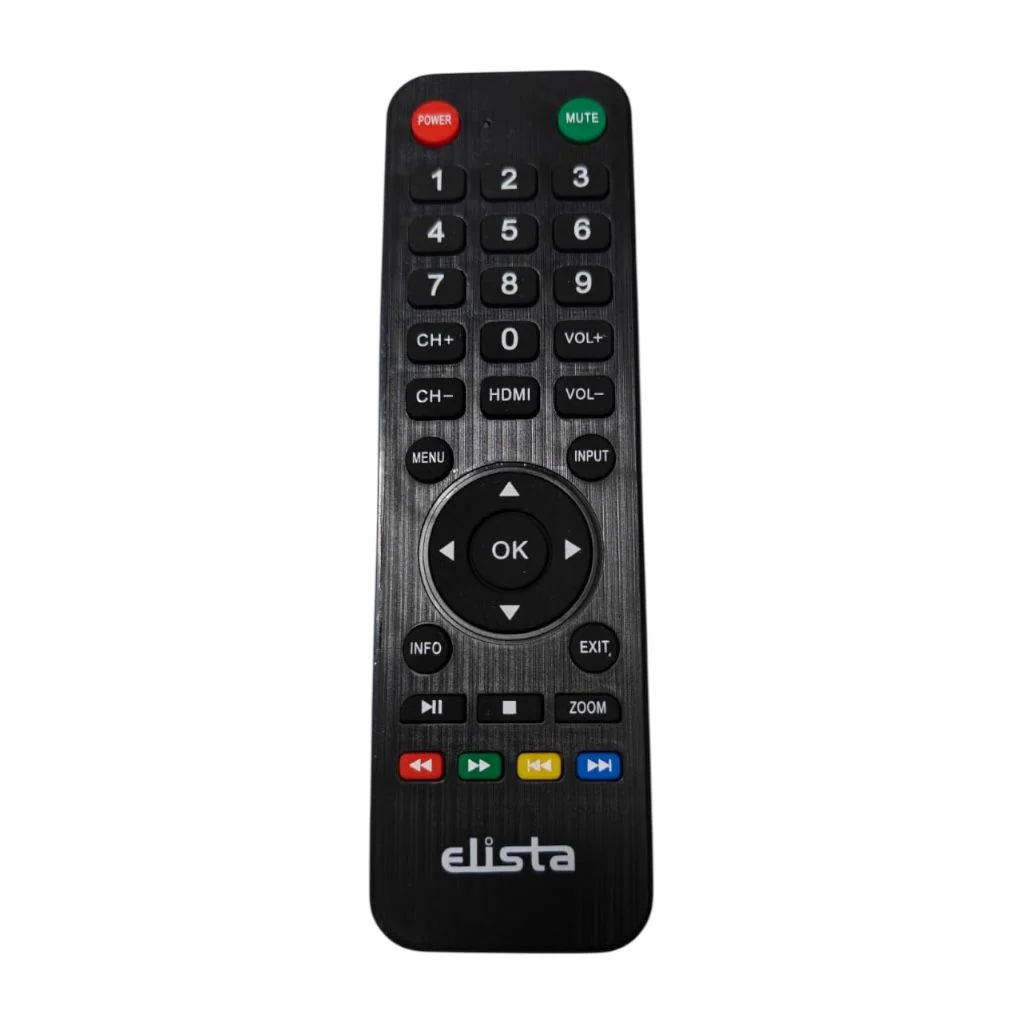
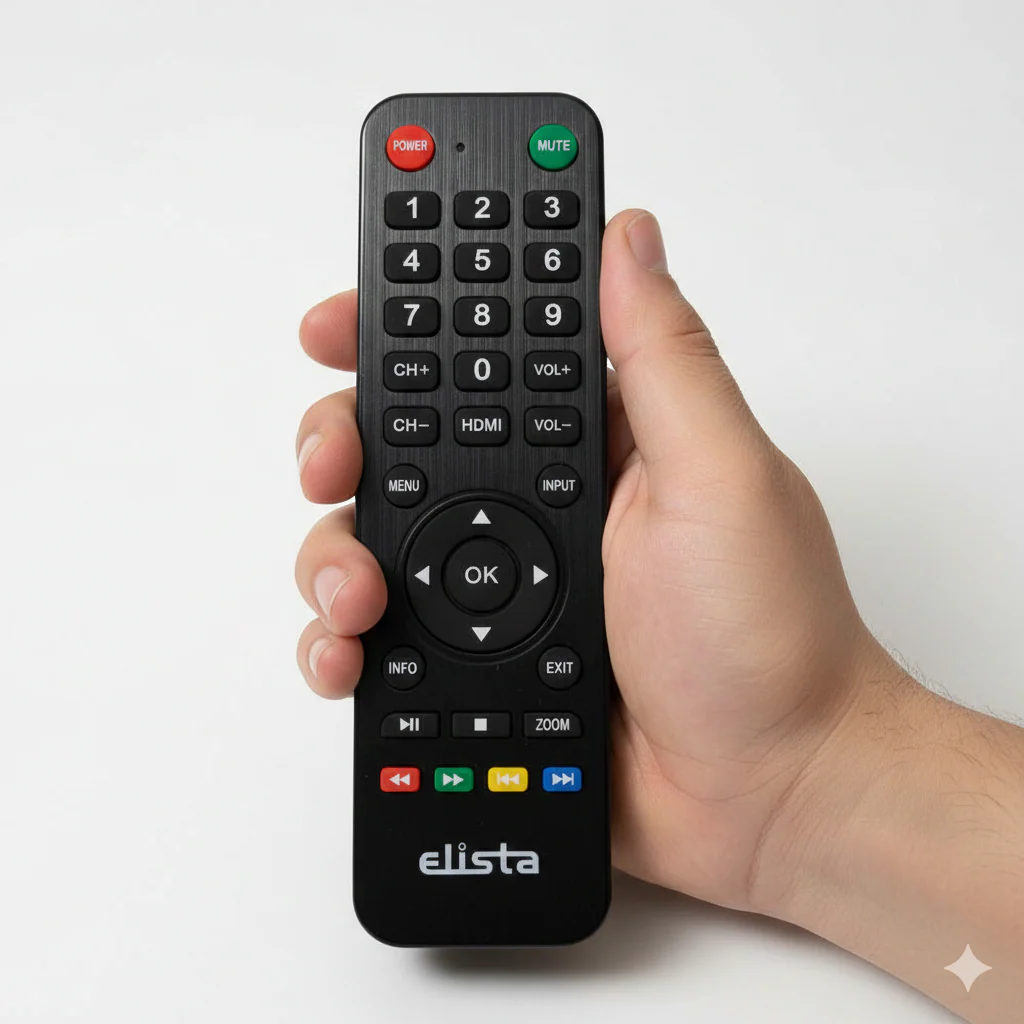
This Elista remote control features a complete numeric keypad for direct channel selection along with dedicated HDMI and Input buttons for quick source switching. Responsive Volume and Channel controls ensure effortless operation. The ergonomic design provides a comfortable grip, while soft-touch buttons offer durability for long-term use. Strong infrared signal delivers stable connectivity without delay. No programming required — simply insert batteries and start using.
Package Includes
1 x Elista LED TV Remote Control (Batteries Not Included)
Suitable TV Models
Compatible with Elista LED TV models supporting standard infrared remote functionality. Suitable for 24 inch, 32 inch, 40 inch, 43 inch and similar LED TV models.
Why Choose Our Remote
Precisely designed for Elista TVs, this remote ensures accurate control and smooth navigation. It is a reliable and cost-effective replacement for lost or damaged original remotes. Ideal for home, office, and commercial use.
Post-Installation Safety & Usage Check
Insert fresh batteries correctly. Remove obstacles between TV sensor and remote. Test Power, HDMI, Volume, Channel, and Menu buttons to confirm proper functionality.
More Images
Elista LED TV Remote Control Replacement with HDMI & Input Buttons #
Restore full functionality of your Elista LED TV with this high-quality replacement remote control designed for smooth and reliable performance.
Features & Benefits
This Elista remote control features a complete numeric keypad for direct channel selection along with dedicated HDMI and Input buttons for quick source switching. Responsive Volume and Channel controls ensure effortless operation. The ergonomic design provides a comfortable grip, while soft-touch buttons offer durability for long-term use. Strong infrared signal delivers stable connectivity without delay. No programming required — simply insert batteries and start using.
Package Includes
1 x Elista LED TV Remote Control (Batteries Not Included)
Suitable TV Models
Compatible with Elista LED TV models supporting standard infrared remote functionality. Suitable for 24 inch, 32 inch, 40 inch, 43 inch and similar LED TV models.
Why Choose Our Remote
Precisely designed for Elista TVs, this remote ensures accurate control and smooth navigation. It is a reliable and cost-effective replacement for lost or damaged original remotes. Ideal for home, office, and commercial use.
Post-Installation Safety & Usage Check
Insert fresh batteries correctly. Remove obstacles between TV sensor and remote. Test Power, HDMI, Volume, Channel, and Menu buttons to confirm proper functionality.
Product Information
Product Information
Shipping & Returns
Shipping & Returns
Description
Restore full functionality of your Elista LED TV with this high-quality replacement remote control designed for smooth and reliable performance.
Features & Benefits
This Elista remote control features a complete numeric keypad for direct channel selection along with dedicated HDMI and Input buttons for quick source switching. Responsive Volume and Channel controls ensure effortless operation. The ergonomic design provides a comfortable grip, while soft-touch buttons offer durability for long-term use. Strong infrared signal delivers stable connectivity without delay. No programming required — simply insert batteries and start using.
Package Includes
1 x Elista LED TV Remote Control (Batteries Not Included)
Suitable TV Models
Compatible with Elista LED TV models supporting standard infrared remote functionality. Suitable for 24 inch, 32 inch, 40 inch, 43 inch and similar LED TV models.
Why Choose Our Remote
Precisely designed for Elista TVs, this remote ensures accurate control and smooth navigation. It is a reliable and cost-effective replacement for lost or damaged original remotes. Ideal for home, office, and commercial use.
Post-Installation Safety & Usage Check
Insert fresh batteries correctly. Remove obstacles between TV sensor and remote. Test Power, HDMI, Volume, Channel, and Menu buttons to confirm proper functionality.